Today’s BYD vehicles rely on advanced software to power the features you interact with daily-from infotainment navigation and connected services to integrated vehicle performance controls.
Over-the-Air (OTA) updates deliver the latest software enhancements, new features, and security patches directly to your vehicle over a secure wireless connection. Best of all, you can update your car conveniently without taking time out for a service center visit.
Why OTA Updates Matter
Just like software updates installed on your smartphones or computer, each OTA package is designed to optimize your driving experience. Depending on your BYD model and release content, an update may provide:
- Performance Enhancements: Improved vehicle responsiveness and system efficiency.
- New Features: Expanded infotainment options and user interface upgrades.
- Software Fixes: Resolution of known system bugs or glitches.
- Security Updates: Enhanced protection for vehicle software and connected networks.
Note: While OTA updates keep your vehicle’s digital systems current, they do not replace scheduled mechanical maintenance or physical workshop service.
Pre-Update Safety Checklist
Because your vehicle will remain temporarily inoperable during installation, ensure the following conditions are met before starting:
- The vehicle is safely parked with the gear selector in Park (P).
- The battery’s state of charge (SoC) is above 20%.
- The vehicle is connected to a stable network signal.
- All doors, the hood, and the trunk are completely shut.
- Any On-Board Diagnostics (OBD) dongles and charging cables are unplugged.
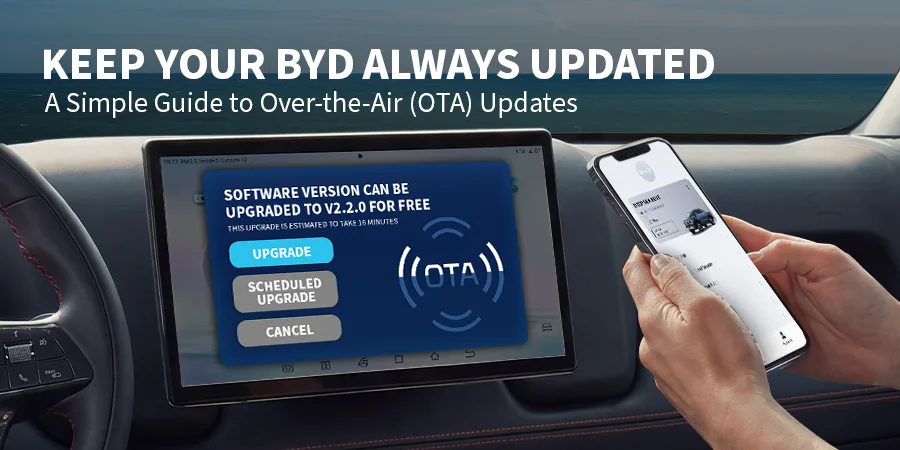
Tip: If the estimated installation time doesn’t fit your immediate schedule, tap Scheduled Upgrade on the screen to set a convenient time later (such as overnight).
How to Install a BYD Over-the-Air Update
1. Review the Update Notification
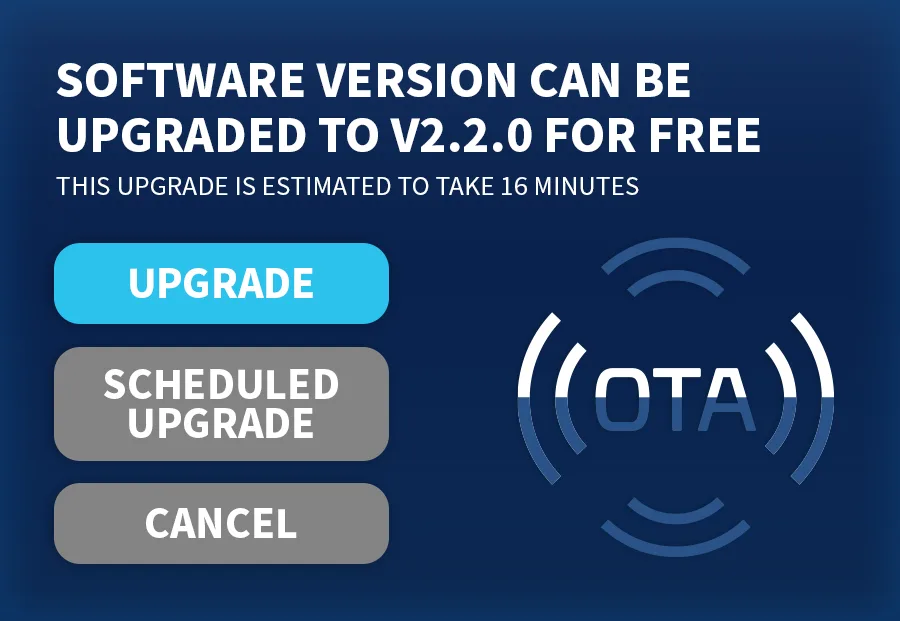
When an update is ready, a pop-up alert will appear on your infotainment screen. Tap the notification to view the release details, prerequisites, and estimated installation duration.
2. Initiate or Schedule
If all safety conditions are met and you have sufficient time, select Install Now. If you need to drive soon, choose Scheduled Upgrade to pick a better time.
3. Leave the Vehicle Undisturbed
Once installation begins, you may lock the vehicle and step away.
During the process, it is normal for the infotainment screen to cycle off, exterior lights to flash, or brief system warnings to appear. Do not operate controls, start the vehicle, or interrupt power while the update is in progress.
4. Wait for Confirmation
Wait until the screen explicitly displays a “System Update Complete” message before operating your vehicle.
Post-Update Steps
After the update finishes, your system may prompt you to complete a quick setup:
- Review Settings: Accept any updated privacy terms or system disclosures.
- Re-Login (If Prompted):
- Navigate to the Profile section on the infotainment screen.
- Open the official BYD App on your phone to scan the displayed QR code.
- Confirm your account email address to finish syncing.
Need Support?
If an update fails to complete or your screen displays a system error:
- Do not force a system restart or attempt to install unauthorized third-party software.
- Contact your authorized BYD dealer for diagnostic assistance using official service tools.
- Reach out to the Contact Center: Call the BYD Cars Philippines Customer Support team at (02) 7758-1888, Monday to Friday, from 7:30 AM to 5:30 PM.
Disclaimer: Over-the-Air (OTA) updates are available across BYD models, with the exception of the new BYD Seal 5 DM-i. Feature availability and update contents may vary by model, variant, and current software version.