Your next coffee break could give both you and your BYD a chance to recharge. If you’ve just brought home a BYD EV or plug-in hybrid, charging is one of the new routines you’ll get to explore. Knowing where to go, how much to budget, and how to pay can make those first few charging stops feel more familiar.
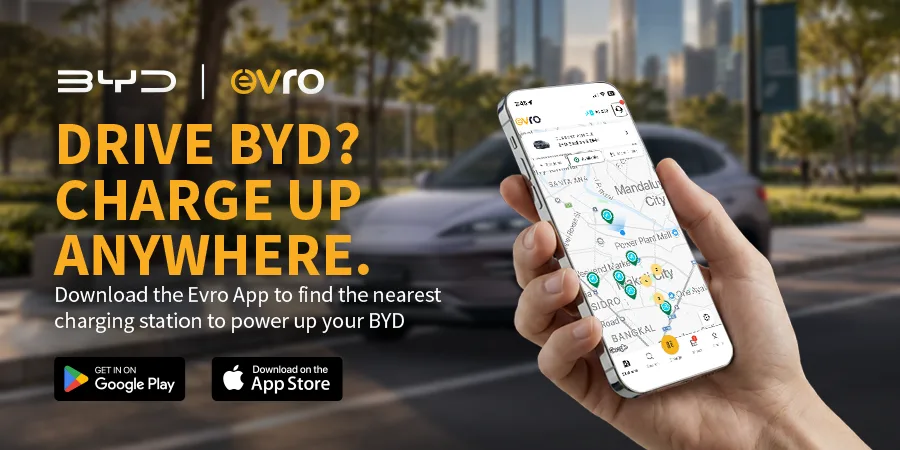
The Evro app helps bring these tasks together on your phone. With more than 100,000 users, Evro supports drivers with station discovery, charging cost estimates, remote monitoring, and convenient payment options.
For you as a new BYD owner, that means having a practical companion as you get comfortable with charging beyond home.
Your Quick Guide: Plan it, Plug it, Pay It
Here’s a quick overview of what to expect:
- Plan it: Find a compatible charging station, estimate your charging cost, and look for available deals.
- Plug it: Connect your BYD at a supported station, follow the instructions to begin charging, and monitor your session through the app.
- Pay It: Settle your charging fees using an available payment option and make the most of eligible Evro Vouchers.
Start by downloading the Evro app, creating your account, and following the setup prompts. Then, you’re ready to explore your charging options.
1. Plan it: Find Your Station and Set Your Budget
Before heading out for your first public charging session, take a moment to check your options. Think about where you’re going and whether you can fit a charging stop around something already on your schedule.
Find a Compatible Charger
The Evro Station Finder helps you locate and filter charging stations compatible with your vehicle.
- Compatible station search: Narrow down your options to find a suitable place to charge your BYD.
- DOE-registered stations: The app includes 400+ charging stations registered with the Department of Energy.
- Real-time station visibility: Check the station information available in the app before making your way there.
Your BYD’s charging capabilities depend on its model and variant. Check your vehicle’s supported connector and charging type, then match these with the station details. This is especially useful while you’re still getting familiar with your new vehicle.
Estimate Your Charging Cost
MyCharge Planner helps you estimate charging costs based on your desired battery level and current State of Charge (SoC). Use it to get an idea of your budget before starting a session.
Consider the driving you have planned, whether that’s your daily commute or a weekend outing. Treat the planner’s figure as an estimate, and review the station’s applicable rates before charging.
Look for Savings Nearby
Watch out for Deals Pins to find charging stations with active deals and discounts. Check these offers alongside the station’s location and compatibility to find a stop that suits both your plans and your budget.
2. Plug it: Start Charging and Follow Your Progress
Once you arrive, follow the instructions on the charger and in the Evro app to connect your BYD and begin your session. Confirm that charging has started before stepping away.
If you drive a fully electric BYD, charging replenishes the battery that powers your journeys. If you drive a BYD plug-in hybrid, plugging in replenishes the battery for electric driving while retaining the flexibility of its plug-in hybrid system.
Keep Track from Your Phone
Remote charging monitoring lets you check your session’s progress through Evro at supported stations.
- Check your charging status: Follow your session from your phone while taking a nearby break.
- Plan your return: Keep an eye on progress so you know when to head back to your vehicle.
- Finish your session properly: Follow the station’s instructions to end charging and disconnect safely.
Stay connected: For a smoother charging experience, make sure your phone has a stable internet connection through Wi-Fi or mobile data. The Evro app requires internet access to initiate and process charging sessions, as well as to keep you updated on your charging progress.
Charging will automatically stop once your set charging amount has been used up. You’ll then have a 30-minute grace period to move your vehicle before penalty charges apply.
Once you’re done, move your vehicle so the charger is available for the next driver. Building this habit from your first session helps keep shared charging spaces convenient for everyone.
3. Pay It: Settle Conveniently and Use Your Vouchers
Evro makes payment part of the same app experience, helping you manage your charging stop from planning through to settlement.
Choose Your Payment Option
- ChargePlus: Enjoy bigger savings on charging with ChargePlus, available exclusively at ACMobility stations.
- Credit card: Pay for your charging session using your Mastercard or Visa.
- GCash: Pay conveniently through GCash. With its Link & Pay feature, you only need to link your GCash account once. For succeeding checkouts, you can pay without logging in to GCash again.
Follow the app’s prompts to set up and use your preferred available payment method.
Check Your Evro Inbox for Vouchers
Evro Charge Vouchers give you opportunities to save on charging fees at participating partner stations. Watch your Evro inbox for vouchers, and check the validity of each offer, eligible stations, and redemption instructions before use.
Get Ready for Your Next Charge
Getting familiar with charging is part of settling into your new BYD. With Evro, you can plan ahead, follow your session, and pay conveniently as you build your routine.
Download Evro on the App Store or Google Play and follow Evro on Facebook, Instagram, and TikTok for updates, tips, and offers.